Digital Collection Catalog – Scenario Questions

Wondering how to get students acquainted with research catalogs? The Nerman Museum staff has compiled prompts to help those new to our digital permanent collection catalog platform get acquainted with the various types of search and filter options!

Using Advanced Search:
How many pieces of turquoise jewelry are on display in the library?

Using “Browse by Featured Collection” and filter side bar:
How many pieces in the Oppenheimer Collection are also part of the Native American Collection?

Using Advanced Search:
How many pieces in the collection have glitter?

Using the simple search bar:
Is your favorite piece on view?  If so, where can one find it on campus?
Answer Key | Learn more about our resources

Digital Permanent Collection Catalog and other resources

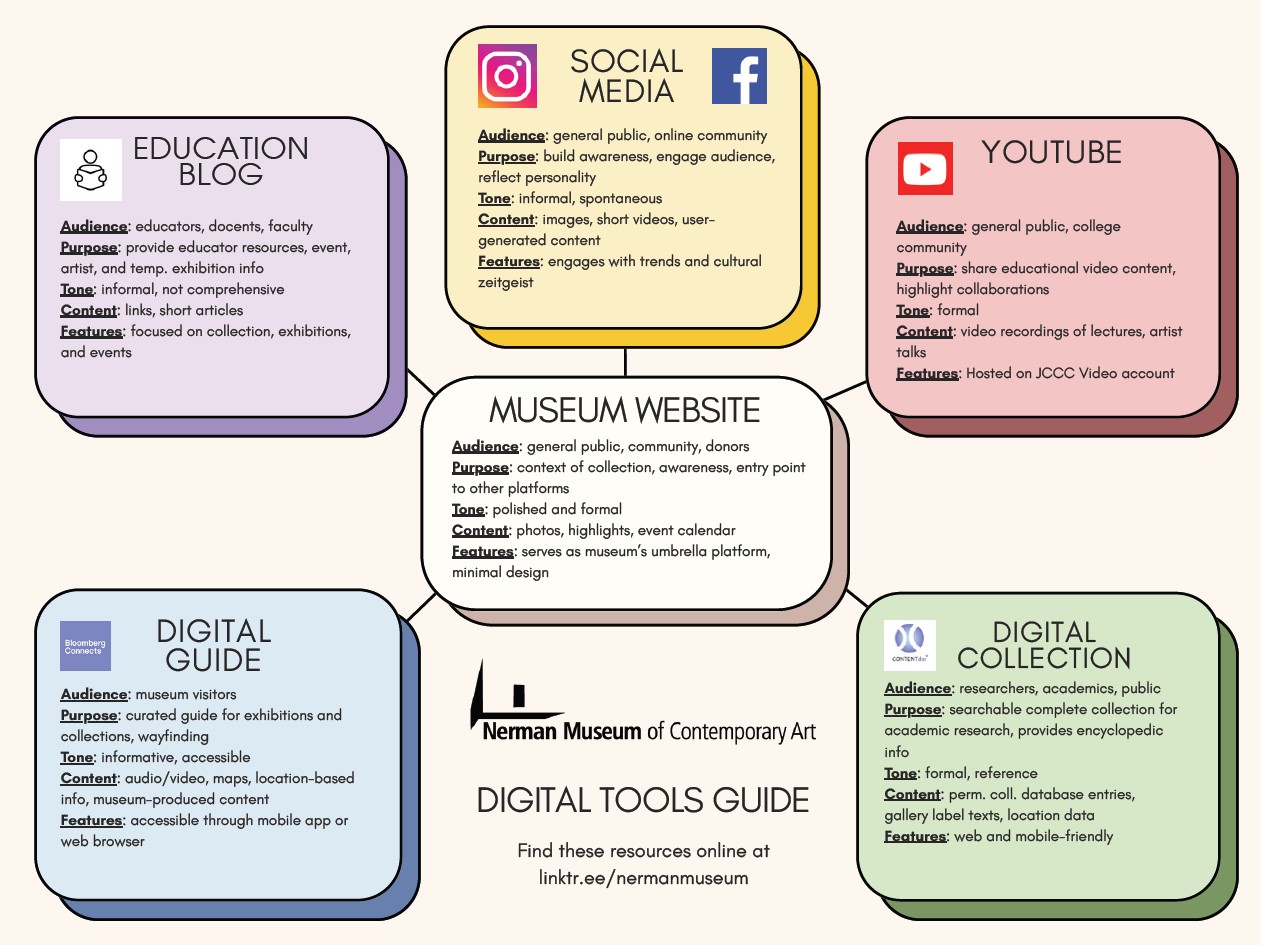
Our wonderful Registration team has launched the first iteration of our Digital Permanent Collection Catalog – a searchable resource that contains the full listing of all works in our collection, including information on what’s on view across campus. With this addition, we now have a robust set of resources, allowing educators, students, and community members to easily find information related to our artwork. Here’s a quick run down on all available digital tools:

MUSEUM WEBSITE

  • Audience: general public, community, donors
  • Purpose: context of collection, awareness, entry point to other platforms
  • Tone: polished and formal
  • Content: photos, highlights, event calendar
  • Features: serves as museum’s umbrella platform, minimal design

DIGITAL COLLECTION CATALOG

  • Audience: researchers, academics, public
  • Purpose: searchable complete collection for academic research, provides encyclopedic information
  • Tone: formal, reference
  • Content: permanent collection database entries, gallery label texts, location data
  • Features: web and mobile-friendly

DIGITAL GUIDE

  • Audience: museum visitors
  • Purpose: curated guide for exhibitions and collections, wayfinding
  • Tone: informative, accessible
  • Content: audio/video, maps, location-based info, museum-produced content
  • Features: accessible through mobile app or web browser

EDUCATION BLOG

  • Audience: educators, docents, faculty
  • Purpose: provided educator resources, event, artist, and temporary exhibition information
  • Tone: informal, not comprehensive
  • Content: links, short articles
  • Features: focused on collection, exhibitions, and events

YOUTUBE

  • Audience: general public, college community
  • Purpose: share educational video content, highlight collaborations
  • Tone: formal
  • Content: video recordings of lectures, artist talks
  • Features: Hosted on JCCC Video account

SOCIAL MEDIA (such as Instagram and Facebook)

  • Audience: general public, online community
  • Purpose: Build awareness, engage audience, reflect personality
  • Tone: Informal, spontaneous
  • Content: images, short videos, user-generated content
  • Features: engages with trends and cultural zeitgeist

Find these resources and more online at linktr.ee/nermanmuseum

If you have any feedback about these tools, please share it with us!

Chart of the various artwork resources for the Nerman Museum

Need this information in a printable format? Download our Nerman Museum Digital Tools Guide (.pdf).


Nerman Museum Digital Guide Announcement

Mock up of Nerman Museum Bloomberg Connects guide on a mobile phone

The Nerman Museum just launched their digital guide on Bloomberg Connects. This mobile guide allows people to plan their visit, enhance their on-site experience, and access audio and video content related to our exhibitions and permanent collection items. This guide also provides multilingual support, powered by Google Translate and is accessible and compatible with a variety of assistive technologies. Learn more and download the digital guide.